Turn Your Phone Into a Professional Scanner
Scan documents, ID cards, and business cards in seconds with professional quality. No bulky equipment needed – just your phone and one tap to digitize everything.
Everything You Need to Scan, Edit, and Share
Scan Anything, Anywhere
Transform your phone into a portable scanner for documents, PDFs, ID cards, business cards, and more. Get crystal-clear scans in seconds, whether you're at the office, school, or on the go.
Digital Business Card Manager
Never lose an important contact again. Scan business cards instantly and digitize all your professional connections with a single tap. Perfect for networking events and building your contact database.
Professional Editing Tools
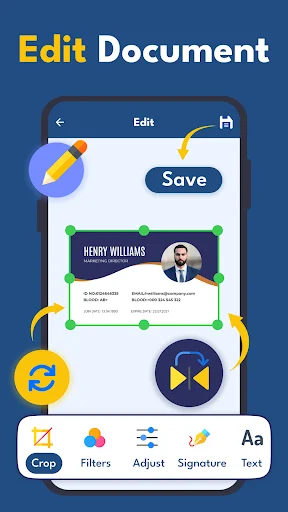
Make every scan look perfect with auto-enhancement, adjustable brightness, custom signatures, and watermarks. Crop exactly what you need and extract text from images to create polished, professional documents.
Secure and Share Instantly
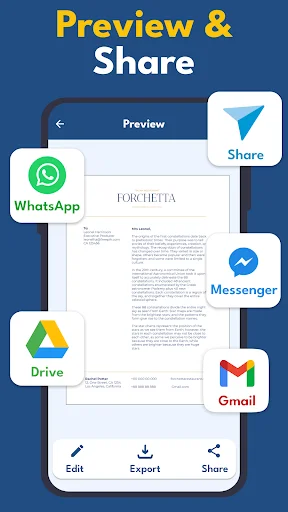
Protect sensitive documents with password-protected PDFs. Create multi-page documents and share them immediately with colleagues, friends, or clients – all from your phone.
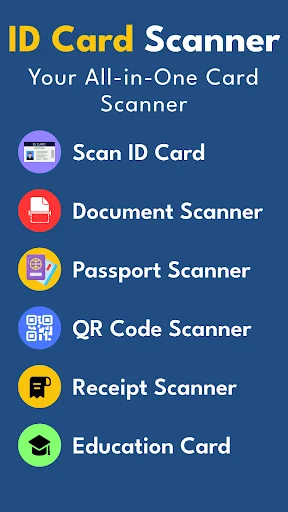
The ID scanner app swiftly transforms your mobile into a mini portable scanner for enjoying high-quality images. This id card scanner app easily and rapidly scans documents, PDFs, id cards, business cards, books, and id scanner app. The id scanner app's free scanner is extremely useful and a must-have for everyone. Whether you're a student, businessman, teacher, or any other individual, this genius scan app is beneficial for scanning your documents anywhere & anytime use id card scanner front and back. This scanner is not a fake scanner; most scanners do not scan correctly, leading many users to believe that this scanner is also fake.
This ID Card Scanner app allows you to scan your documents at the highest quality and instantly convert them into PDFs. You can also crop or select a part of the document you want to scan with this bcs id scanner, providing a convenient feature for users. Additionally, you can edit your documents with this clear ID scanner app free.
For instance, you can edit your documents, use auto-enhancement to improve clarity, adjust brightness levels, rename, add your signatures, and watermark of your choice. This id card scanner front and back and bcs id scanner can also extract text from images and convert it into PDFs.
This all-in-one Id card scanner app, both front and back, is a genius scan app that also allows you to scan QR codes and create your QR code from text, image, email, or URL. You can digitize your documents in a single tap and share them with your friends and colleagues. Scanning to PDF and making it password-protected is a great feature of the quick id scanner app free.
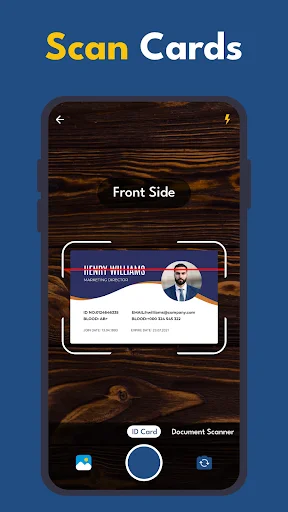
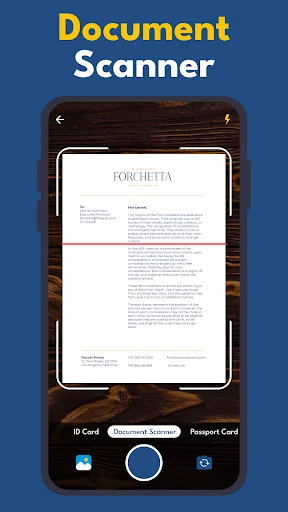
Pdf scanner If you need to scan multiple documents, use this scanner or pdf scanner. Whether you're in an office, school, or university, this Quick scanner app lets you digitize your documents in a single tap & convert them to the highest quality. This id card scanner front and back is not a fake scanner, so it automatically detects the corner of the page, and you can easily cut out a part of the document you want to scan with this Quick scanner or scanner.
Document Scanner
You can easily capture or select documents from the camera roll and scan them to PDF with the mobile document scanner app. Quickly scan your assignments and business documents, adjust and crop them according to your needs, save them in PDF format, and immediately share them with your friends, teachers, and colleagues without any hassle. Use thisid card scanner front and back to convert your mobile device into a document scanner app and id scanner app free.
Business card scanner
Do you need a business card scanner? This business card scanner lets you easily scan business cards. You can digitize all your business contacts in a single tap with this business card reader.
ID Card Scanner
ID scanner or id card scanner lets you easily scan ID cards. The id scanner app manages passports, licenses, id cards in seconds and immediately saves them to your phone with a fake scanner.
Features of id card scanner app
- Auto-enhance your documents and PDFs
- Edit your documents after capturing, apply filters
- Crop the part of the document you want to scan with bcs id scanner
- Create your digital signatures and add a watermark of your choice
- Scan QR code and create your own with id card scanner app
- Document scanner scan to PDF and convert into the highest quality documents
- Create a multi-page PDF by using a PDF scanner & bcs id scanner
- Add notes and text to your documents
- Password protect your PDFs
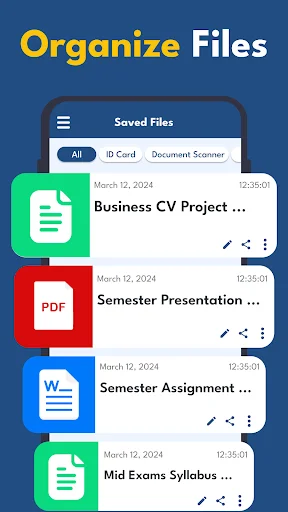
- Share with your friends immediately after saving with id card scanner app
See How Easy Scanning Can Be
Join Thousands of Happy Users
I'm starting to like this app
ID Scanner
Excellent