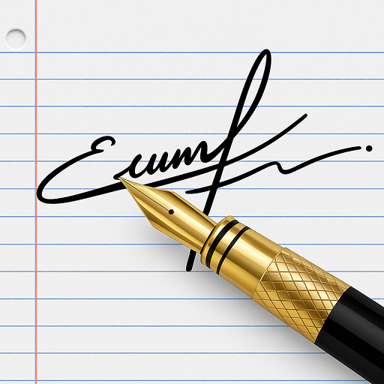
Create Professional Signatures in Seconds
Say goodbye to printing and scanning. Design beautiful custom signatures and sign important documents instantly – all from your phone.
Everything you need for perfect signatures
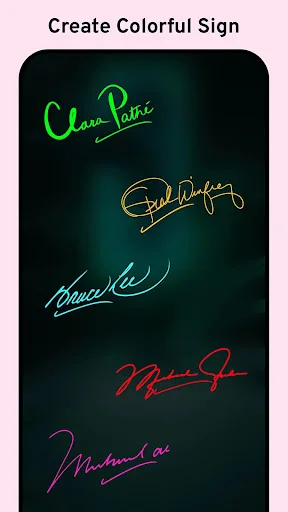
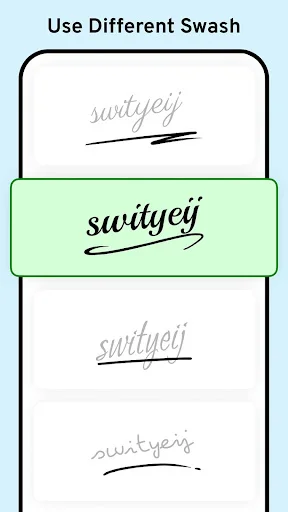
Design Your Perfect Signature
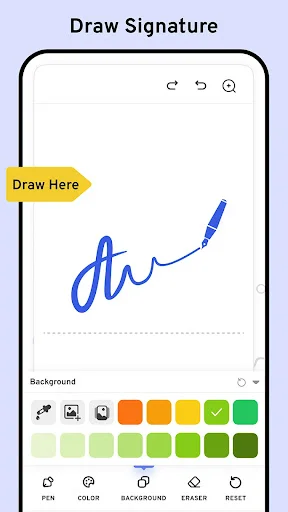
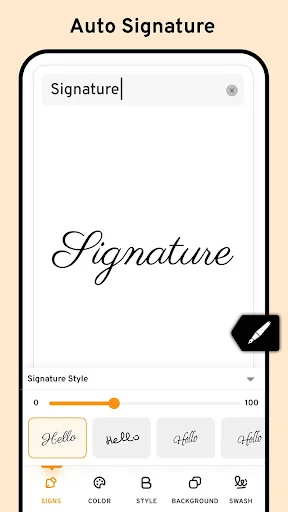
Choose from multiple fonts, colors, and pen sizes, or draw your signature by hand. Create a professional look that truly represents you and makes every document stand out.
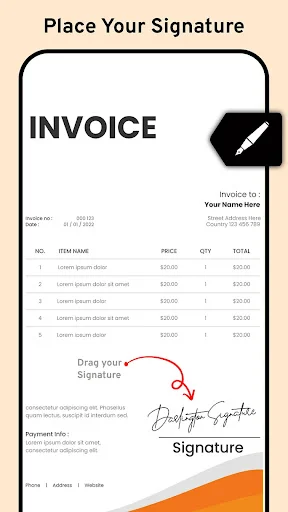
Sign Documents Instantly
No more printing, signing, and scanning. Sign contracts, forms, and PDFs directly on your phone in seconds. Get documents back faster and keep your workflow moving.
Save Time with Reusable Signatures
Create your signature once and save it for future use. Apply your saved signature to unlimited documents with a single tap, saving you time on every file you sign.
Complete Creative Control
Adjust size, position, and rotation to place your signature exactly where you need it. Personalize every detail to ensure your signature looks perfect on any document.
Signature Maker: Signing App - The Ultimate App for Digital and Custom Signatures!
Looking for a simple and efficient way to create professional-looking signatures? The Cool Signature Maker is here to help! In fact, it has everything you need to sign important documents or add personal touches to them. The Electronic Signature Creator is an easy way to make beautiful names, perfect for those whose signature goes on digital documents a lot. As a matter of fact, the Digital Signature App: Sign Documents actually makes easy what was always understood to be quite a simple process, whether personal or professional.
🖋️Electronic Signature Creator Key Features:🖋️
- 📄 Cool Signature Maker: Design personalized autographs for your needs;
- 📄 Electronic Signature Creator: Create electronically with ease;
- 📄 Digital Signature App: Sign Documents: Sign important files quickly and professionally;
- 📄 Name Signature App: Document Signer: Generate and apply your name to any document;
- 📄 Custom Signature: Sign Generator: Customize your style with various tools;
- 📄 E Signature App: Autograph Maker: Add your autograph to digital files;
- 📄 Esignature Maker: Sign PDFs: Easily sign PDFs and important documents;
- 📄 Signing App: An intuitive Cool Signature Maker for signing and saving them securely.
Cool Signature Maker: Create Custom Names Effortlessly!
With the Cool Signature Maker, you can access various customization options to make your name stand out. You can pick from different fonts, pen sizes, and colors to ensure your name reflects your unique style. The Cool Signature Maker app also supports manual drawing, so you can create your name precisely how you want it. Whether you're looking for a Custom Signature: Sign Generator or an Electronic Signature Creator, this Name Signature App: Document Signer app covers you.
📃Sign Documents with Ease:📃
The Digital Signature App: Sign Documents makes signing digital files easier than ever. Whether you're dealing with contracts, forms, or agreements, this app allows you to sign documents quickly and efficiently. The Name Signature App: Document Signer is perfect for anyone needing a secure and fast way to apply their name to important files. No need for a pen and paper—just use the E Signature App: Autograph Maker to create a professional-looking name.
📝Custom Signature: Sign Generator - Personalize Your Name:📝
The app offers numerous features to ensure you have full control over your design. With the E Signature App: Autograph Maker, you can easily adjust the size, position, and rotation of your name. You can also save your signature directly on your device for future use, making it a breeze to sign documents again. Plus, the Esignature Maker: Sign PDFs feature ensures that signing PDFs is fast and simple, helping you save time.
Start Signing with Ease Using the Best Signature App!
With the Signing App, you can sign and share your name instantly. From personal autographs to professional document signing, the app offers everything you need. Get started today with the Electronic Signature Creator and enjoy a seamless experience when it comes to signing important files. Whether you're signing PDFs or creating a custom name, the Esignature Maker: Sign PDFs ensures you can do it all with ease!
See how easy signing can be


Join over 1 million happy users
Really, great application ever. Here is everything which I want. Important is I easily add my signature in any documents.
Good app, gives you heaps of different fonts so you can choose your favorite letter fonts and create your own signature
As I kept using your app it became very easy to use and now I'm loving using it to put my signature on my photos.
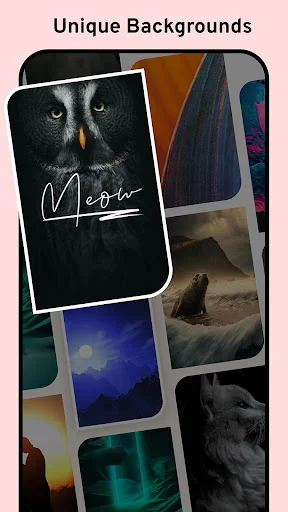
This app is wonderful and it is easy to copy and paste signature and more easy to change the background 😍😍
Wow New Update very intersting . New Signature feature is very usefull in Document Signing.
Worked just like I needed it to! Hassle-free and very user-friendly. Also free!