
Write With Confidence Every Time You Type
Fix spelling, grammar, and punctuation mistakes instantly as you type. Our AI-powered keyboard catches errors in real time, so your messages and emails always look professional.
Smart Writing Help Right in Your Keyboard
Instant Error Detection
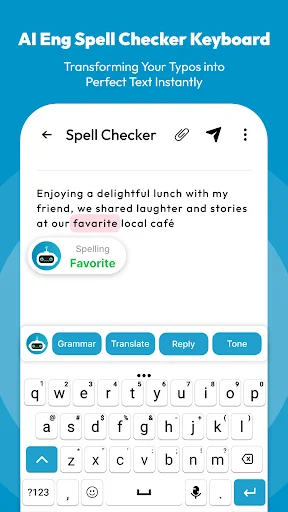
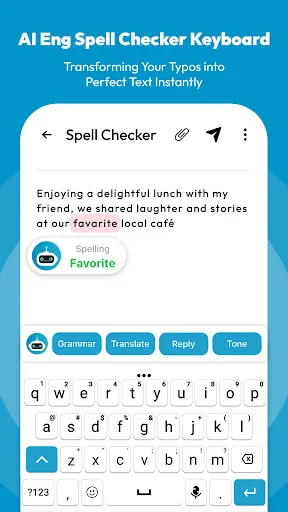
See mistakes the moment they happen with clear red underlines. No need to check your text after writing – catch errors while you type and fix them before anyone else sees them.
One-Tap Quick Fixes
Tap any underlined word to see smart suggestions and choose the right correction instantly. Keep your writing flow smooth without switching apps or stopping to think about spelling.
AI-Powered Smart Suggestions
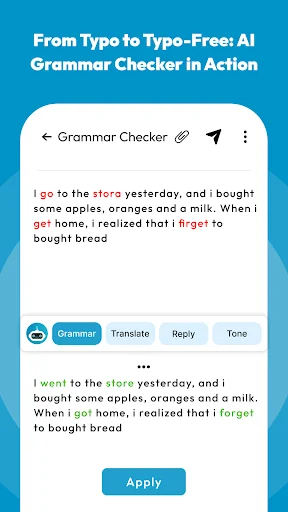
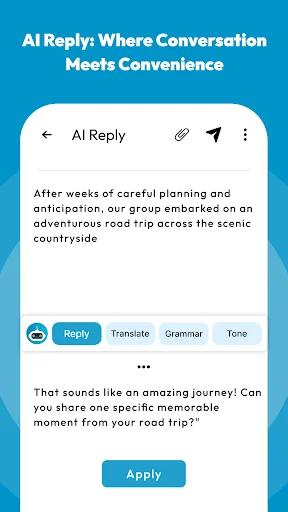
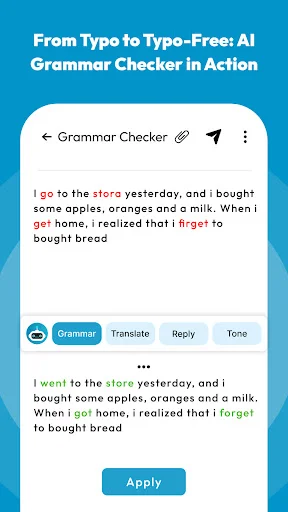
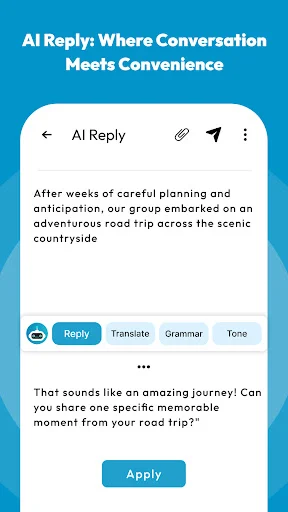
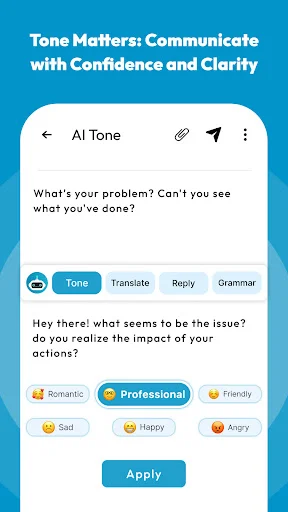
Get intelligent help with grammar, sentence structure, and word choice that makes your writing clearer. Our AI understands context to suggest improvements that sound natural and professional.
Works Everywhere You Type
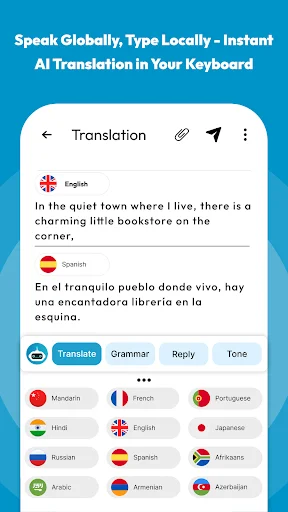
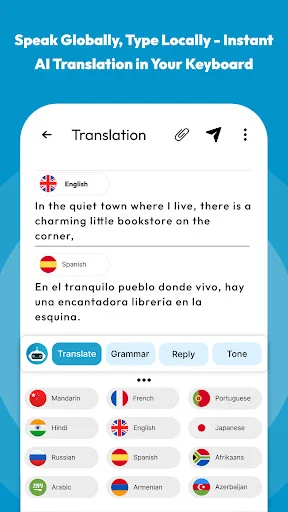
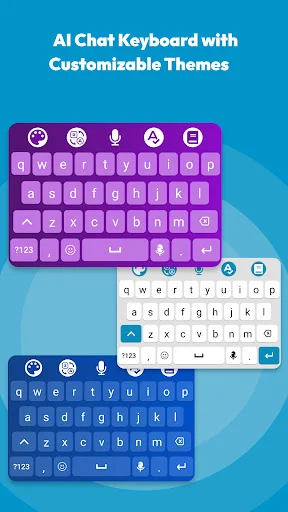
Use the built-in keyboard across all your apps – messages, emails, notes, and documents. Write with correction support wherever you need it, without any extra steps or complicated setup.
English Grammar Checker App - Write Cleaner Text While You Type!
English Grammar Checker App will assist you in improving messages, emails, notes, reports, and daily writing with real-time correction support. AI Grammar Checker And Corrector helps you review grammar, word choice, sentence structure, and common writing mistakes before your text is shared.
Proofreader & Punctuation Corrector App is useful when small marks, missing commas, or sentence breaks make your writing harder to read.
Smart Writing Keyboard Tools:
- English Grammar Checker App - Check writing mistakes while typing everyday text
- AI Grammar Checker And Corrector - Review grammar issues and improve sentence clarity
- Proofreader & Punctuation Corrector App - Correct punctuation and polish your writing flow
- Spell Checker For Android - Find wrong words with clear typing support
- Spell Corrector: Sentence Correction App - Rework unclear lines into cleaner sentences
- Correct Spelling App - Tap suggested words and fix mistakes faster
- Spell Check App - Use a smooth keyboard for messages, emails, and documents
Check words instantly with red underline suggestions!
Spell Check App makes typing easier by marking wrong words as you write. When a mistake appears, you can tap the underlined word and choose a better suggestion without leaving your keyboard.
Spell Checker For Android works well for students, professionals, language learners, and anyone who wants more accurate writing on a phone.
Simple Correction Flow:
- Open English Grammar Checker App, and activate the keyboard from setup
- Type normally in your message, email, note, or document
- Use Spell Checker For Android when a wrong word is underlined
- Choose Correct Spelling App suggestions with one tap
- Try Spell Corrector: Sentence Correction App when the full sentence needs work
- Review AI Grammar Checker And Corrector suggestions before sending
- Use Proofreader & Punctuation Corrector App for cleaner final text
Real-Time Help While You Type:
The Correct Spelling App helps you catch small slips by showing clear suggestions at the right moment. Over time, this can also help you remember better word forms, improve vocabulary, and feel more confident while writing in English.
Grammar, Sentences, And Punctuation Support:
Spell Corrector: Sentence Correction App helps reshape rough lines into clearer writing. For longer text, Proofreader & Punctuation Corrector App gives your work a more polished finish before it becomes a message, report, or assignment.
Lightweight Keyboard For Daily Writing:
A writing tool should feel quick, responsive, and easy to use. AI Grammar Checker And Corrector supports a simple typing flow, so you can focus on what you want to say instead of stopping after every mistake. The setup is also straightforward, making it easier to install, activate, and start writing with support right away.
Write With More Accuracy And Confidence!
Spell Check App gives you a practical way to correct words, improve sentences, and clean up daily writing from your phone. Whether you are a student, office user, or casual writer, this app helps make your English text clearer before you send, save, or share it.
See How Easy Writing Better Can Be
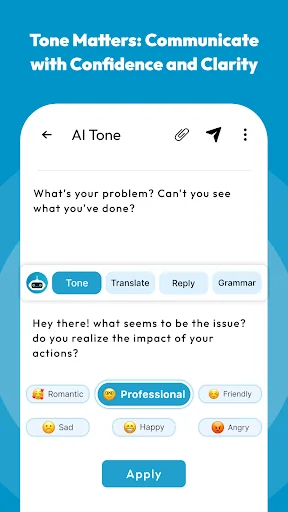
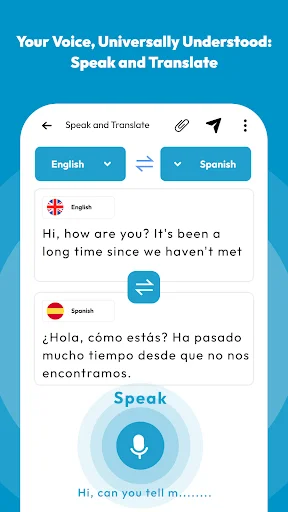
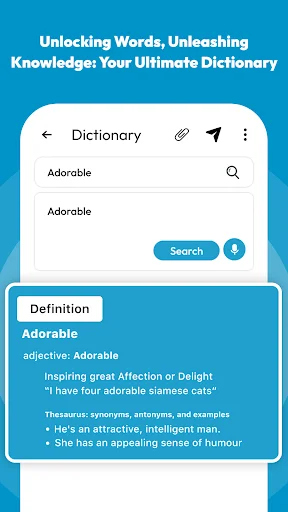
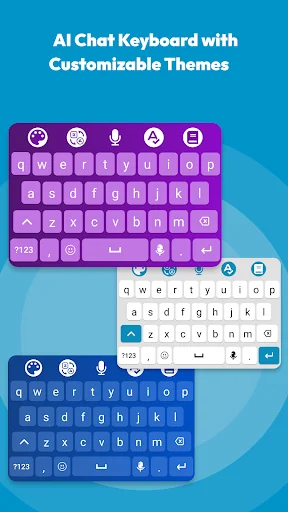
Trusted by Thousands of Happy Writers
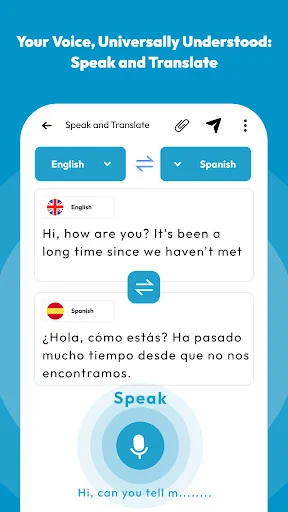
I love this app. I have never had any problems with it.. It's is amazing. This app has 2 functions . Spelling and Pronunciation. For spelling you type or say what you want, and it will tell you if it is spelled correctly. For pronouncing is like spelling but if you press the picture with the person talking. The app will say what you wrote. You can also changed the language which is a great feature. I actually use this app a lot. I highly recommend this app.
I've had two others and they're not as good as this one . I'm an adult that didn't finish primary school so this app gives me the opportunity to read and write and pronounce words correctly.
I highly recommend this app . Having five components in one app is what actually made it more unique and prevents anybody from ever regretting downloading it . It really works for me.
Those who believe that this pronunciation checker software does not function properly should know that it does so for me. I'm overjoyed.
i find this app very handy, as my spelling, isn't as good as earlier in life. since a head injury. VERY HELPFUL. THANKYOU.
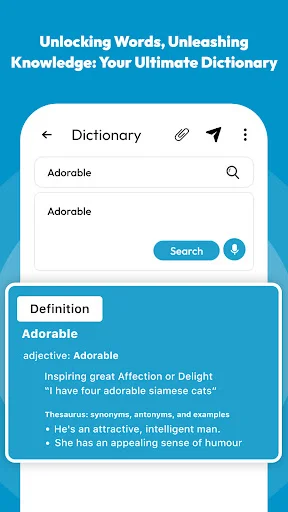
Gathering of definitions and pronunciation was excellent, as should be. After all it is a computer...