
Fix Backwards Selfies in One Tap
Mirror and flip your photos instantly without complicated editing software. Perfect for fixing reversed text, adjusting orientation, and creating mirror effects with professional quality results.
Everything you need for perfect photo orientation
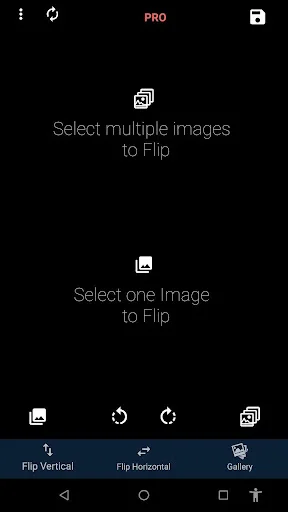
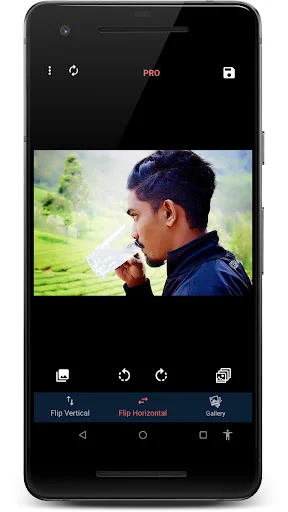
Instant Flip and Mirror
Stop worrying about backwards text in your selfies. Flip photos horizontally or vertically with a single tap and see results immediately, no waiting or complicated steps required.
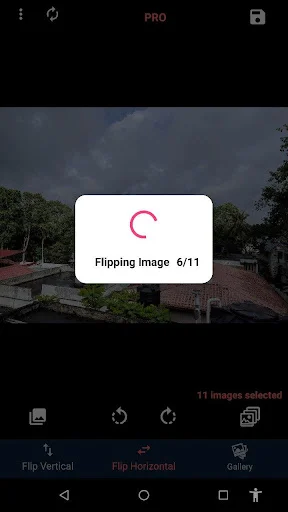
Edit Multiple Photos at Once
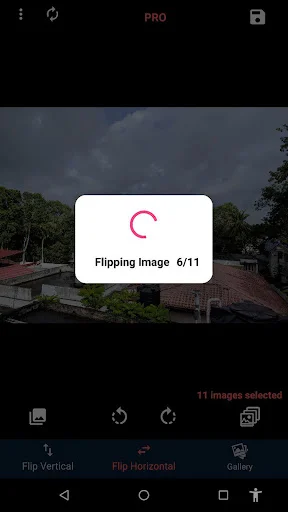
Save time with batch processing that lets you flip dozens of images simultaneously. Perfect when you need to fix orientation for an entire photo session or event album.
Keep Your Photos Crystal Clear
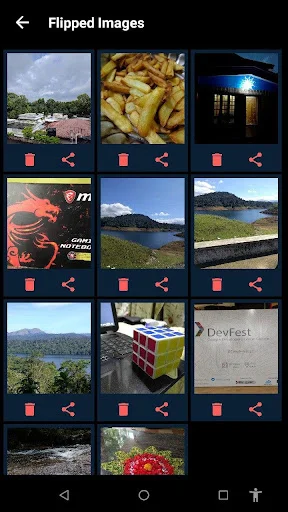
Unlike other tools, your images stay sharp and high quality after flipping. No blurring, no compression – just professional results that look exactly like the original.
Simple for Everyone
Start flipping photos the moment you open the app. No tutorials needed, no confusing menus – just straightforward tools that work exactly how you expect them to.
Flip Image App: Inverter Photo Tool - Flip and Mirror an image instantly!
Have you ever taken a selfie and realized your shirt text was backwards right that second? It is really amusing to see how a single app can actually hold hundreds of orientation fixes and mirror effects without you having to think too hard or carry a heavy physical board. Flip Image App: Inverter Photo Tool is built for those busy study moments when you want to flip (mirror) an image vertically or horizontally in an easy way.
Flip Image App Features
- Photo Mirror Effects Filter for finding the right aesthetic
- Flip Picture: Mirror Image App for high quality file management
- Rotate Photo Orientation Tool
- Flip Photo: Face Mirror for mirroring your pics
- Batch Flipping
- High Definition for instant document reading
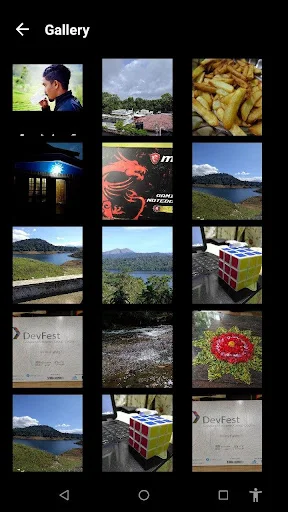
- Multi-Format Support for JPG, PNG and more
- Easy Interface for everyone
How to best enjoy your Flip Picture: Mirror Image App!
Life moves fast and honestly it is just nice to have a way to edit images easily without having to spend an hour in a professional studio. It is that simple to use the Flip Picture: Mirror Image App whenever you want to change the orientation of your pics.
Mirror Effect on your Pictures:
All you have to do is tap the edit button and let the Photo Mirror Effects Filter do its magic for your writing projects. This helps settle those moments when you want to be professional but you may not have any options in the settings of your phone. Perfect results become possible with the quick browse mode, activated within the app using the Photo Mirror Effects Filter.
Deep Orientation:
The Rotate Photo Orientation Tool feature has great benefits. It helps you flip the image vertically and horizontally and even flip batches of images at once. You can finally bring your dreams to life by selecting the creative tools inside the Rotate Photo Orientation Tool.
Creative Visual Tools:
The Flip Photo: Face Mirror is an amazing app that allows you to simply mirror your selfies without downloading large photo editing apps. Use Flip Photo: Face Mirror if you want to flip multiple images at once in an easy way, and without losing image quality.
Keep High Image Quality:
What differentiates the results in this tool from others is the way the app maintains image quality. Within the Flip Image App: Inverter Photo Tool, you can easily edit your pictures and make them look more beautiful. Download Flip Picture: Mirror Image App free, take a selfie and easily change orientation if needed.
Start Enjoying Flip Photo: Face Mirror Today!
Fixing a photo should be quick! On many phones, when you take a selfie using your standard camera, the image comes without mirroring, and you may not have any options in the settings. Go ahead and download the Flip Photo app right now!
See how easy flipping photos can be
Join over 1 million happy users
This app is really useful. The selfie camera on my Samsung Galaxy J3 returns photos as "mirror images" which the preinstalled editing tools don't seem able to fix - a real pain. When I found Flip Image I thought: "Really? An app just to flip selfies? Overkill!" But now it makes perfect sense. If you don't want your selfies to have this annoying problem, I really do advise you to install Flip Image - it doesn't compromise image quality and it does this one task admirably.
This application really deserves a million stars and not five stars because when I show the image with the mirror feature it appears as if it is a complement to the original image and not a copy opposite the original image and if the image is of a natural scene it appears with it very beautiful and amazing beauty and also with very high quality. Thank you very much for this application and it really deserves that I introduce it to people and advise them to use it
I love this app!!!! Its perfect!!!!! No ads or everything its just simple and easy!!!! And also it boost my confidence because i have Assymetrical face...and i found out that its not noticable at all for having Assymetrical face!!!! What is you see in the mirror is what is you just flip it!!! Or use this app....
Love it! It's simple & easy to use on my android. Even for an old bag like me that isn't as tech savvy as I used to be! Nothing complicated here and very useful for designing my paper cutting projects with words that need to be reversed. I just hit a button on voila', it's saved in my Flip Image folder!
Exactly what I was looking for. Something simple that can reverse selfie photos so I can read lettering in actual images. Can't stand people who don't realize that everything's backwards when they display it. Everyone should be using this! Android 14 on the Pixel 8
I use this all the time. I make t-shirts, and this is perfect for flipping images so the words are right. I got the pro after just trying it. Great price. Easy to use, will access all photos that are in varying folders.