
Never Lose Your Favorite Apps Again
Backup, install, and manage all your apps with ease. Support for all APK formats including split APKs – no root required.
Everything You Need to Manage Your Apps
Effortless App Backup
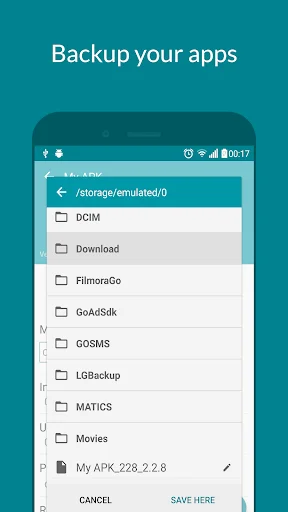
Save all your installed apps in seconds with fast batch processing. Extract apps to APK or split APKs and preserve them forever – even apps that disappear from the Play Store. No root access needed.
Install Any APK Format
Install regular APKs and split APKs (.apks, .xapk, .apkm, .aspk) with ease. Works even when the system installer fails, making it simple to transfer apps to new devices or restore older versions.
Verify APK Safety
Check any APK's security before installing with built-in hash verification (MD5, SHA-1, SHA-256). Scan for sensitive permissions and ads to ensure your device stays safe and protected.
Complete App Control
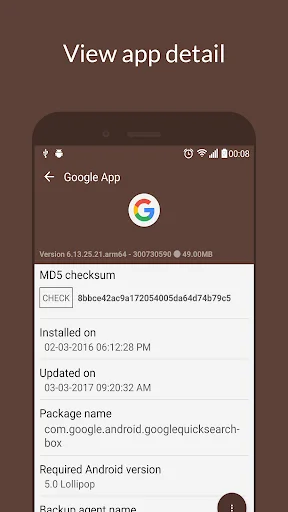
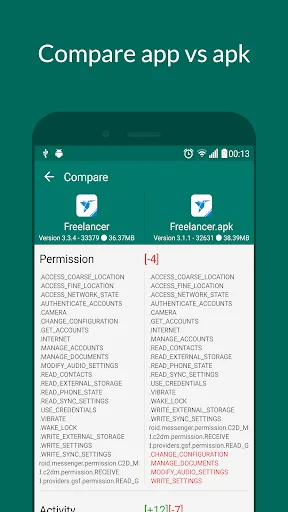
View detailed app information including permissions, services, and activities. Filter, sort, and search through your apps instantly. Compare versions to see what changed before updating.
My APK - App and APK Manager
My APK helps you backup your installed apps. List and install regular APK files, split APKs: .apks, .aspk, .apkm, .xapk
App Manager Features
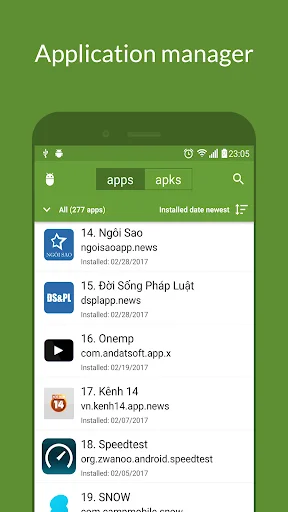
My APK can be used as an app manager.
- List all of your apps.
- Filter apps by: system apps, user apps, bundle apps and disable apps.
- Sort apps by name, package name, installed and updated date, app size (ascending or descending).
- Search apps quickly by enter its name or package name.
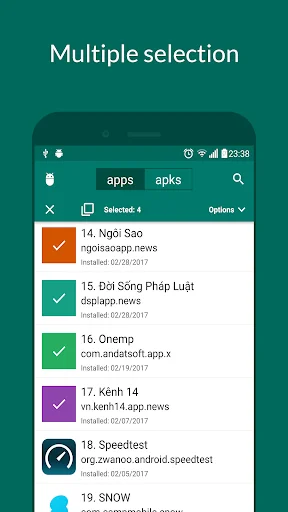
- Extract apps (support batch processing and compress to zip file before saving) to APK or split APKs. It is super fast for even many heavy apps and games.
- Save APK to SD card/storage easily with a built in File explorer (You can create new folder here if needed).
- Check third party app info in a very detail level. It lists all of activities, services, APK permissions, signature, min SDK version,... used in an app.
- Share apps via Bluetooth, social network.
- Get link games on Play store (support multiple apps) easily.
- Create shortcut for app (depends on your launcher, the behavior may be different).
- Uninstall apps.
- Search similar apps on Play store.
- Browse app internal and external data folder (works on some file explorers: esfile explorer, etc).
- Extract app icon for your own purpose.
- Support backup for applications installed by the Android App Bundle source (split APKs).
APK Manager Features
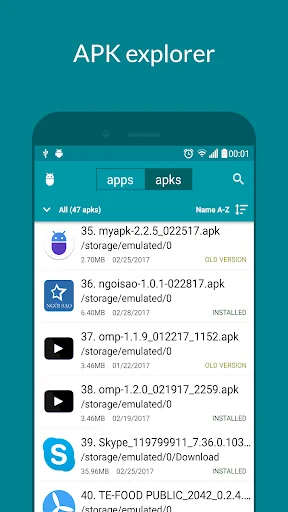
My APK can be used as an APK manager.
- List all of your APK/Split APKs on your device.
- Filter APKs by date (today, yesterday, last 7 days, last 14 days and last 30 days).
- Filter APKs by extension (apks, aspk, xapk and apkm).
- Filter APKs by version status (newer version, older version).
- Sort APKs by name, folder, APK size, modified date, target SDK, version code (ascending or descending). No more third party File explorer to lookup your APK.
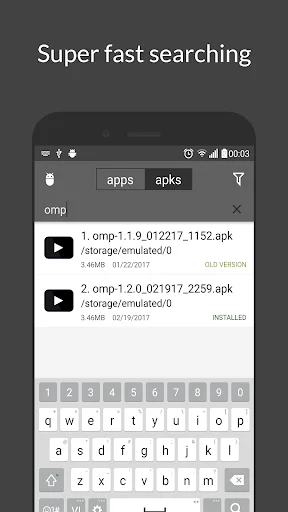
- Search APK by name or package name.
- Extract APK detail information (APK permissions, APK signatures and other APK information) before installing.
- Hash Checker: verify APK by checking its md5/sha-1/sha-256 to make sure your copy version of APK is safe to install.
- Install regular APK (universal APK).
- Install split APKs: .aspk, .apks, .xapk, .apkm
- Identify APK installation problems.
- Share APK files or just play store link.
- Compare APK/APP or APK/APK so that you have a chance to know what changed in the newer/older version.
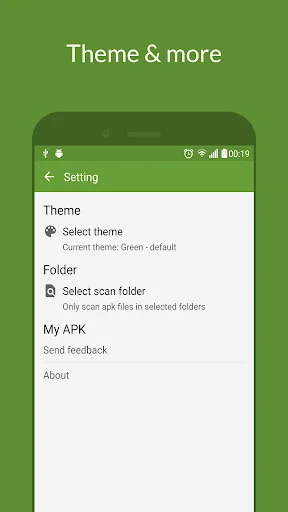
- Be able to select APK scan folders to optimize scanning process.
- Rename multiple APK files (with advanced options).
- Delete multiple APK files.
- Sign APK with v1 and v2 scheme.
Security Scanner
My APK could be used as a simple security scanner tool to detect apps/apks which has ad, sensitive permissions. This feature is called Advanced search.
Built-in Tools
- Device info: View basic information about your device.
- Deep link tester: Verify your deep link to see if it works when clicking on the link from other apps or browsers.
- Touch sample rate (TSR): Measured in Hertz (Hz), it's the frequency at which the screen registers and processes touch points. A higher TSR means the phone detects your touches more often, making gestures feel more immediate and accurate.
Additional Information
Want to help in localization?. Contribute here: https://crowdin.com/project/my-apk
This version does not require root permission
APK (not aok) means Android package.
Contact Us
- Website: https://www.andatsoft.com
- Facebook: https://www.facebook.com/andatsoft
See My APK in Action
Trusted by Thousands of Users
There are dozens of APK apps. My APK does everything I need and does it all better than any app I have tested. It is well designed, provides lots of information about APKs and lots of control over them, looks good, and is free. Yes, there are ads, but they are not intrusive and they are a small price to pay for such an excellent app.
Does exactly what it says. you can backup and restore your installed apps in new app bundle format a.k.a. split apks. old methods of apps backup no longer works and you need an app like this to transfer your apps to a new device or even to restore an older version of your installed app, which may no longer be available at playstore.
This app helped us w/ a problem we encountered on our Google Pixel XL w/ Android Q; Attempting to install *.apks using system installer kept failing w/ 'package parsing' error; Installing via adb was possible, but required connecting the device to a computer; This app successfully installed an *.apk solving our problem; Thank you;
This is a great app. I love I can back up apps I have purchased Incase they ever get pulled from the play store. I love I do not need to be rooted for this to work
Overall the best on the play store and has steadily added features over the years I've used it so I highly recommend it. 👍👍
😷😷😷awesome . i tried so many but this one REALLY WORKS LIKE CHAMPION .😷😷😷 fantastic app.thank-you developer .👍