Your Cards Organized in One Place
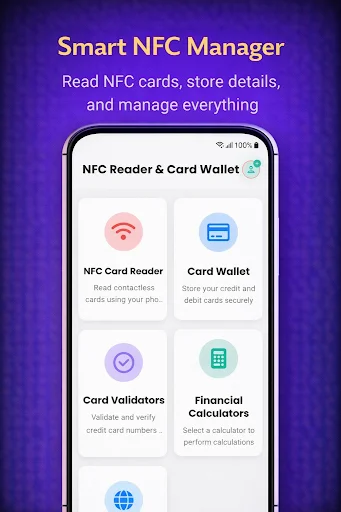
Read public NFC data from your cards and keep all your card details organized with secure, easy-to-use tools. Everything stays on your device with encrypted protection.
Simple Tools for Card Information
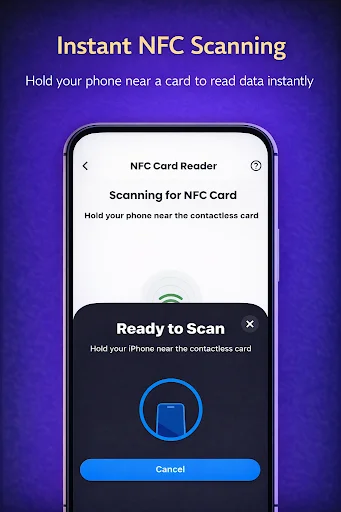
Quick NFC Reading
Hold compatible cards near your phone to instantly read available public information. No typing required – just scan and view supported card data in seconds.
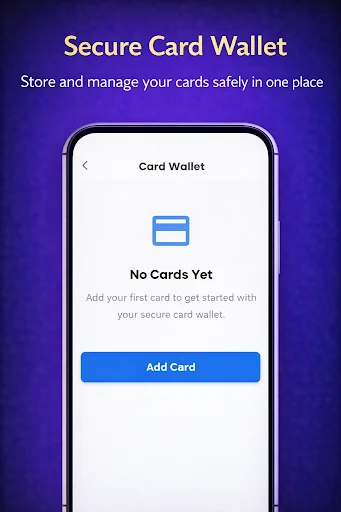
Organized Card Collection
Keep all your card details in one convenient place with names and categories. Find what you need fast without searching through wallets or scattered notes.
Private and Secure
Your information is encrypted and stored only on your device – never sent to the cloud. You control your data with complete privacy and peace of mind.
Smart Scan History
Review past NFC scans separately from your saved cards. This clean separation gives you control over what stays in your collection and what serves as a quick reference.
NFC Reader: Virtual Credit Card Manager - Read And Organize Card Information!
NFC Reader: Virtual Credit Card Manager gives you a simple place to read supported public NFC data and organize card details you manually enter. It is designed for information management, identification, and reference rather than processing purchases or transactions.
Credit Card Reader: NFC Scanner can display supported public information from compatible NFC-enabled cards. NFC Identifier: Cards Wallet helps you keep manually entered card details organized with names and categories.
NFC Reader And Organizer Features:
- Card NFC: Digital Wallet - Keep manually entered card information together in one organized space
- NFC Data Reader: Card Wallet - Read supported public NFC fields from compatible cards
- NFC Info Reader: Mobile Wallet App - View useful card information in a clean interface
- NFC Reader: Virtual Credit Card Manager - Store user-entered details with encrypted protection
- Credit Card Reader: NFC Scanner - Hold a compatible card near your phone to read available public data
- NFC Identifier: Cards Wallet - Add names and categories for easier organization
- Scan History - Review a history of previously read public NFC information
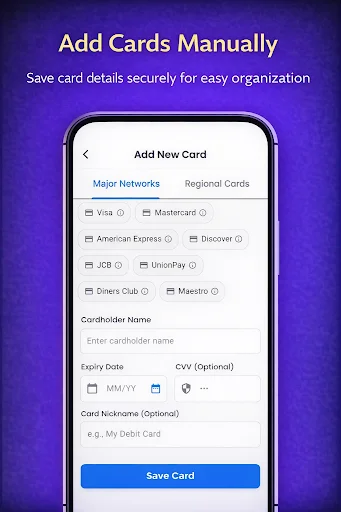
- Manual Entry - Add supported details yourself when you want them available for reference
Read supported NFC information and keep your card details easier to organize!
Card NFC: Digital Wallet separates scanned information from the details you choose to save manually. Data read through NFC is not automatically added to your stored card collection.
NFC Data Reader: Card Wallet keeps a history of supported public scans for convenient reference. This makes it easier to look back at information without mixing scanned data with your manually created entries.
How To Use:
- Open NFC Info Reader: Mobile Wallet App and choose the reader or organizer section
- Hold a compatible NFC-enabled card near your phone when using the scanner
- Use NFC Reader: Virtual Credit Card Manager to review the supported information detected
- Open Credit Card Reader: NFC Scanner when you want to perform another public-data scan
- Use NFC Identifier: Cards Wallet to create and categorize manual card entries
- Choose Card NFC: Digital Wallet when you want to add details yourself
- Open NFC Data Reader: Card Wallet to review your available scan history
Public NFC Information:
NFC Info Reader: Mobile Wallet App reads only supported information made available by compatible NFC cards and your device hardware. The type and amount of data shown can vary between cards, phones, and NFC formats.
Manual Card Organization:
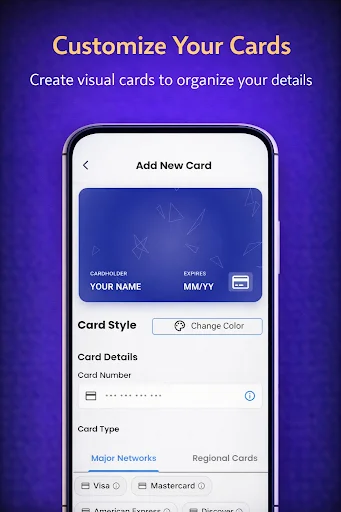
Create entries for cards you want to keep organized and give them clear names or categories. Manually entered information is separate from scan results, helping you control what becomes part of your saved collection.
Designed With Clear Data Separation:
Scanned NFC information is not automatically stored as a card entry. Only the details you intentionally enter are kept in the organizer, while supported scan history remains available separately for reference.
Simple Everyday Management:
The clean interface makes it easy to move between scanning, saved entries, categories, and history. Keep useful card information together without needing a complicated setup or extra physical notes.
Keep NFC Information And Card Details Better Organized!
Read supported public NFC data, create your own organized entries, review scan history, and manage useful information from one straightforward app.
IMPORTANT DISCLAIMER
- This app is a Card Wallet & Reader, not a payment app. It does not enable "Tap to Pay" at payment terminals.
- This app is designed for storage and organization purposes.
- We are not a bank or financial institution.
- Your data is encrypted and stored only on your device.
See How Simple Card Organization Can Be
Join Thousands of Organized Users
Good app you can add your cars and pay very good app but you can install Google wallet if you have nfc and cannot install goggle wallet then install this