
Turn Voice Into Organized Text Instantly
Stop wasting time on manual notes. Sum AI transforms your recordings, meetings, and lectures into clear summaries with AI-powered transcription and smart key point extraction.
Why Thousands Choose Sum AI
Smart AI Summaries
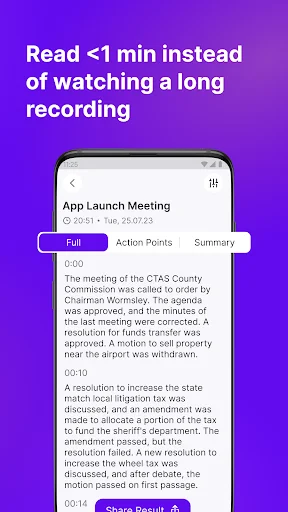
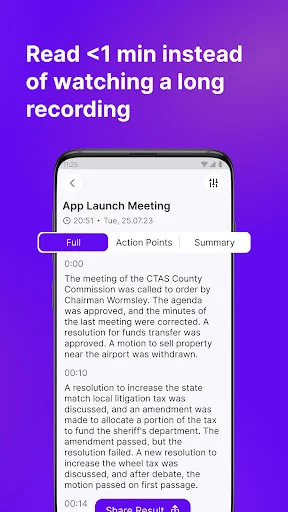
Turn hours of audio into concise, readable summaries in minutes. Our AI extracts the essential information from long recordings so you can review what matters without listening to everything again.
Live Capture Anywhere
Never miss important details during meetings or lectures again. Capture spoken words in real-time while you stay focused on the conversation, not on taking notes.
Works With Everything
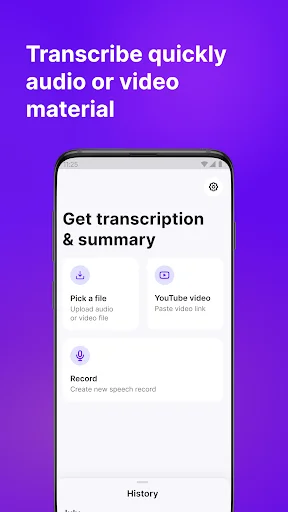
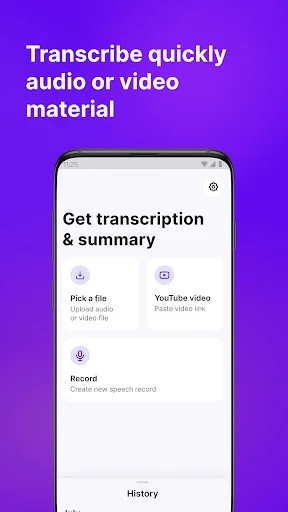
Record live, upload audio files, convert video content, or process voice memos – all in one app. Whether it's a podcast, interview, or meeting recording, Sum AI handles it effortlessly.
Instant Key Points
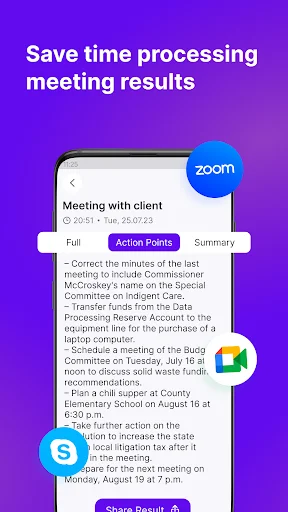
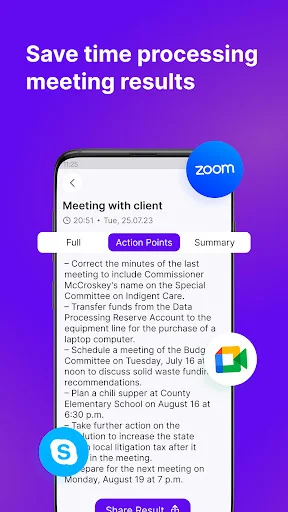
Automatically identify action items, tasks, and important ideas from any transcript. Skip the manual review and get straight to the insights you need to move forward.
Sum AI: Speech To Text App - Turn Voice, Audio, And Video Into Clear Summaries!
Sum AI: Speech To Text App will assist you in converting spoken content into written notes for lectures, meetings, interviews, voice memos, project discussions, and recorded ideas. Summary AI: Transcribe Audio To Text is useful when you want to upload or record audio and get a readable version without manually typing everything.
The app can also help create shorter summaries from long transcripts, making it easier to review key points, tasks, and important details later. AI Summarize: Speak To Text helps when you want to speak your thoughts and turn them into usable text in fewer steps.
Transcription And Summary Tools:
- Text Summarizer AI: Transcription Audio To Text - Convert recordings into notes and shorter summaries
- AI Summary: Live Transcribe Voice To Text - Capture spoken words during talks, classes, or meetings
- Sum AI: Speech To Text App - Save voice notes, meeting points, and spoken ideas as text
- Summary AI: Transcribe Audio To Text - Work with audio files, voice memos, and recorded sessions
- AI Summarize: Speak To Text - Speak naturally and create text for quick review
- Key Point Extraction - Pull out useful ideas, tasks, and action items
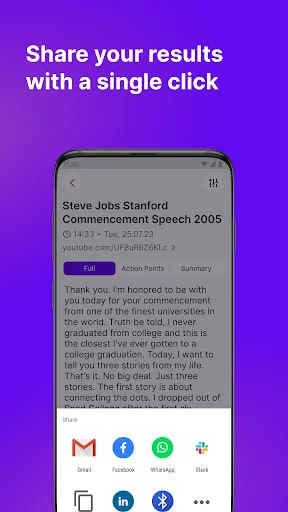
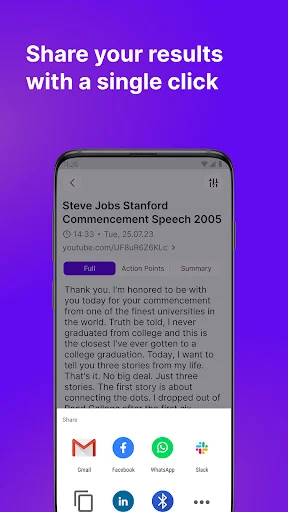
- Save And Share - Keep transcripts, summaries, or meeting notes ready for later use
Transcribe recordings, summarize long text, and capture key points!
Text Summarizer AI: Transcription Audio To Text is helpful when a long recording has too much information to review from start to finish. You can use it for lessons, business calls, brainstorming sessions, podcasts, client notes, or video content that needs a written version.
AI Summary: Live Transcribe Voice To Text also supports real-time capture when you do not want to pause and take detailed notes.
Simple Work Flow:
- Open Sum AI: Speech To Text App, and choose live recording, upload, or link input
- Use Summary AI: Transcribe Audio To Text when your source is an audio file
- Choose Text Summarizer AI: Transcription Audio To Text for longer recordings
- Start AI Summary: Live Transcribe Voice To Text during meetings or lectures
- Try AI Summarize: Speak To Text when you want to dictate quick thoughts
- Review the transcript, key points, tasks, or short summary
- Save the result or share it with classmates, colleagues, or team members
Useful For Meetings, Lectures, And Voice Notes:
Sum AI: Speech To Text App can support students who review classes, professionals who track meetings, and creators who need written notes from spoken content.
Summaries, Reports, And Action Items:
Summary AI: Transcribe Audio To Text is not only for creating a transcript. The app can help shorten long content into a more digestible summary, highlight important ideas, and prepare notes that are easier to share.
Audio, Video, And Saved Content:
Text Summarizer AI: Transcription Audio To Text can be used with recorded audio, video files, voice memos, or linked content when supported. You can turn spoken information into text, then create a summary that is easier to understand. AI Summary: Live Transcribe Voice To Text is also useful when the content is happening live and you want a written record for later.
Make Spoken Content Easier To Review!
AI Summarize: Speak To Text gives you a practical way to capture ideas, create transcripts, prepare summaries, and save important notes from your phone!
See How Simple It Is
Loved By Students, Professionals, and Creators
I love this app! When I replayed my recording to listen to the transcription, it even cleared out the background noise. There was so much I wouldve missed had it not been for that. Definitely reccommend it to anyone who needs any type of recording they have trouble hearing or just cant quite make out what is being said. There is so much clarity in the palyback, and the text matched what was bwing said perfectly.
Amazing, works brilliantly. Summaries are detailed, including the original source link, has an action tab too. The summary format is clean and properly formatted. Saves all summary history as well. Very impressive indeed.
Very accurate transcribing from audio file, a big plus in the summarized content after it transcribe. Excellent application!, keep up the good work developers 👍👍👍
Great first experience. Downloaded to transcribe a video and it's done the job. A perfect word for word document of what was said. Easy to use. Would recommend.
The best audio transcription app. Transcriptions are available in less than 5 minutes with a high accuracy rate. Love it.
This is a great transcriber, it's my go to for all my long audio recordings I want transcribed. Highly recommend.